Windows 10 / 11

Convert multiple PDFs to editable Word documents in seconds with Batch PDF to Word.

Try free, upgrade when you need unlimited pages..

Free Download
Free
No sign-up
Standard Edition

Everything you need to get started — add as many PDFs as you like and convert the first 4 pages of each.

ⓘ  Free version limit: converts the first 4 pages of each document. Need more? Upgrade to Pro below.

★ Pro License
$29
one-time · USD
Pro Edition

Everything in the free version, plus three powerful upgrades that remove all limits.

Pro-only features
Unlimited pages
Per-document OCR control

Parallel processing (×5)

🛡 30-day money-back guarantee  ·  License key delivered to your email

How it works

1

Download & launch
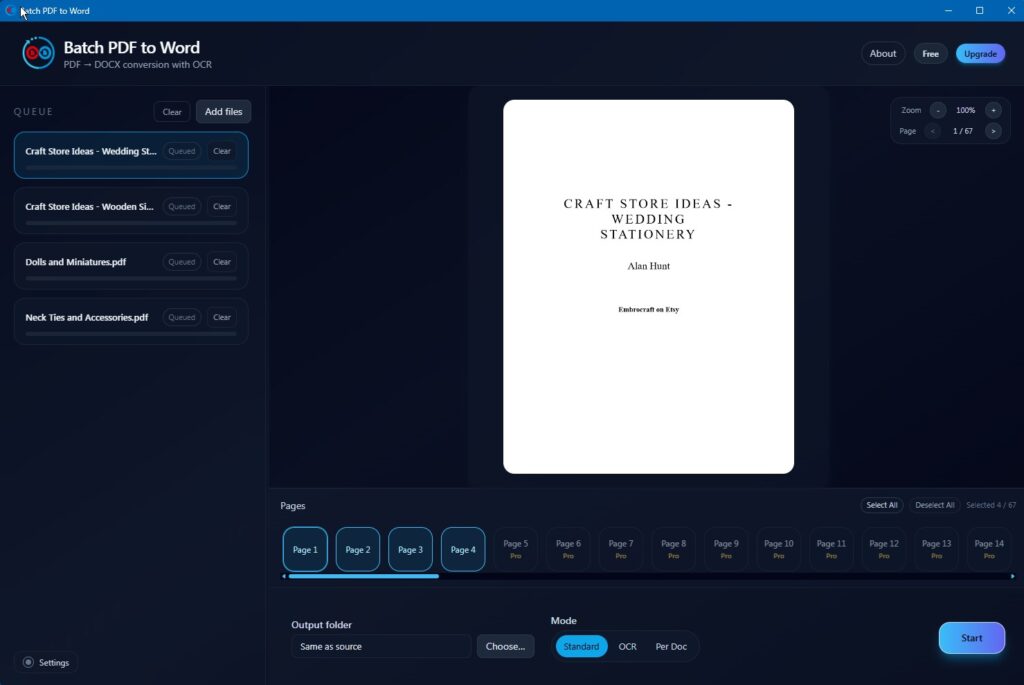
Download the free version above and open it on Windows 10 or 11. No installer wizard or account needed.

Batch PDF to Word — free version UI

2

Add your PDFs
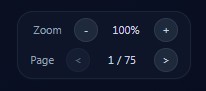
Drop in as many PDFs as you need. Use the preview panel to zoom in and inspect pages, and the page tabs to select or deselect specific pages before converting.

Zoom and page preview

3

Choose a conversion mode
Use Standard mode for PDFs with selectable text. Use OCR mode for scanned or image-based PDFs. Select Per Doc for mixed batches — the app will suggest the best option for each file.

Standard · OCR · Per Doc

4

Upgrade to Pro (optional)
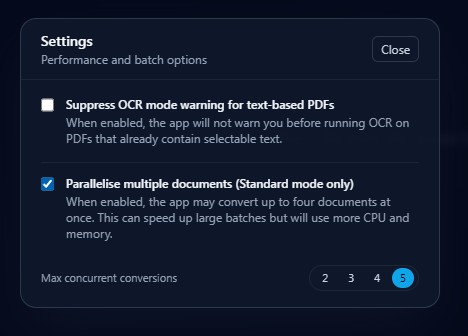
Click Upgrade in the top-right of the app and paste your Gumroad license key to unlock unlimited pages. In Settings, enable Parallelise multiple documents and set it to 5 for maximum speed.

Settings → Parallelise → 5

Settings — parallelise option
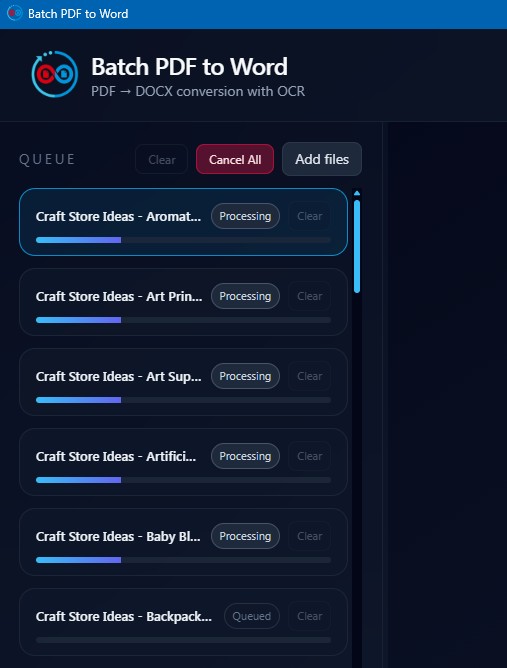
Parallel processing in action

5

Convert & export
Hit convert. Your Word documents are ready in moments — with Pro, up to 5 files process simultaneously.