Windows 10 / 11

Sort thousands of mixed files into organised folders in just a few clicks.

Try free, upgrade to Pro for unlimited file processing and advanced sorting options.

Free Download
Free
No sign-up
BatchSorter Free

Sort files by type, extension, or custom rules — perfect for cleaning up mixed folders of media, documents and design files.

ⓘ  Free version limit: up to 25 files per session. Need to sort larger collections? Upgrade to Pro below.

★ Pro License
$29
one-time · USD
BatchSorter Pro

No file limits, no subscriptions. Sort massive archives of any size in a single operation — one-time purchase.

Pro-only features
Unlimited file processing
Smart categorization
1000+ file types recognised

Sort by extension
Save sorting configurations
Handles files without extensions

🛡 30-day money-back guarantee  ·  License key delivered to your email

How it works

1

Download & launch
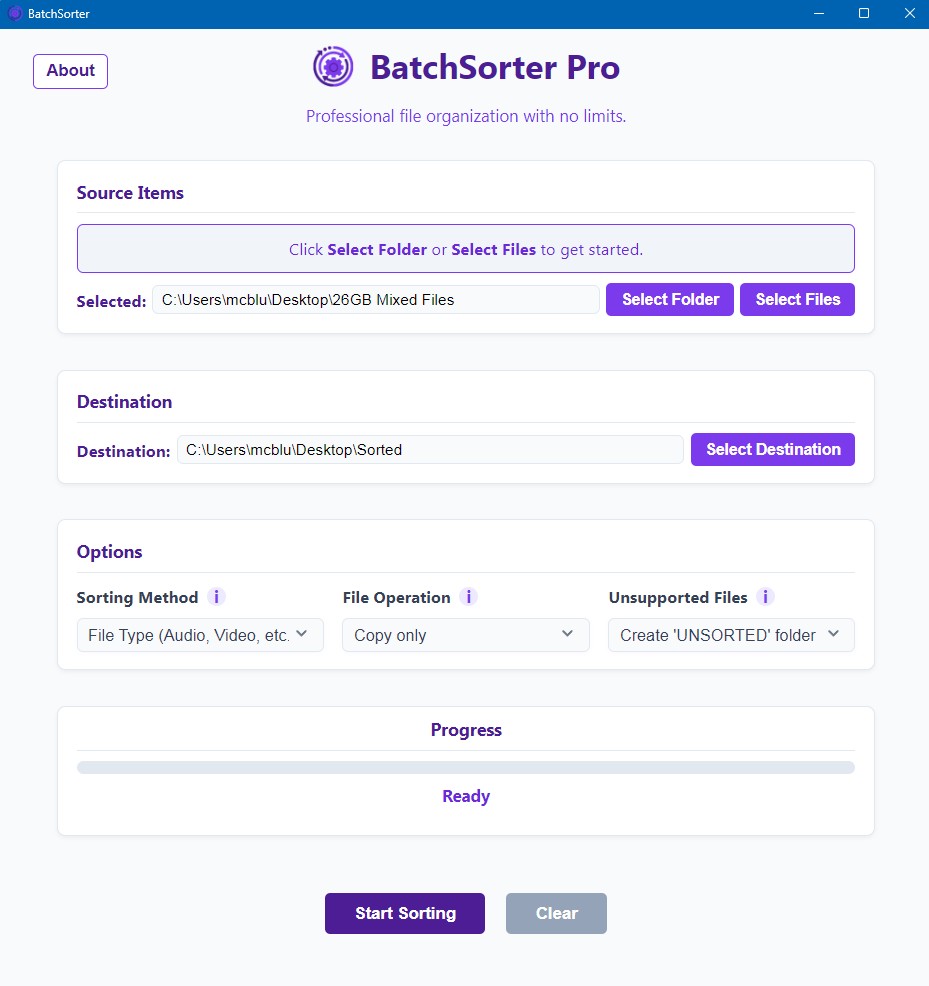
Download the free version above and open it on Windows 10 or 11. No installer wizard or account needed.

BatchSorter application

2

Select your source & destination
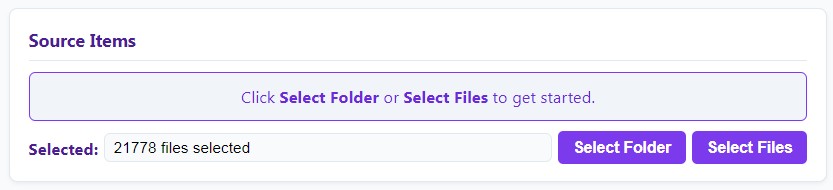
Choose the folder or individual files you want to sort, then set the destination folder where the sorted output will be saved.

Select source folder
Set destination folder

3

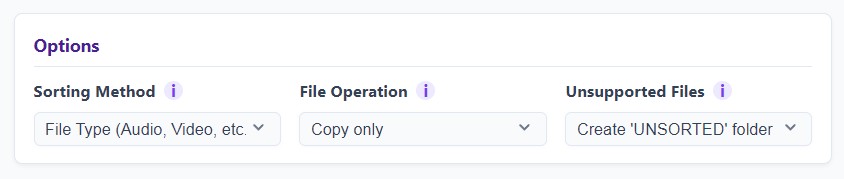
Choose your sorting options
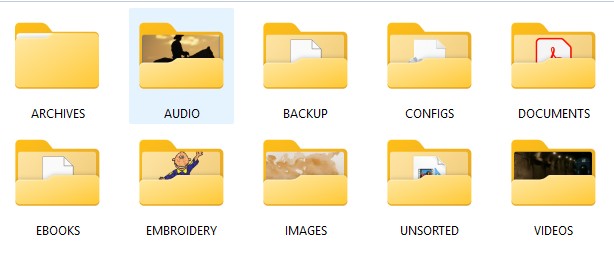
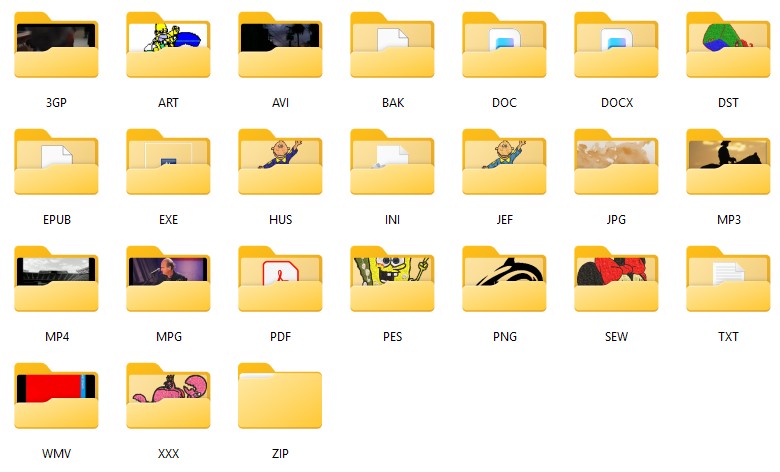
Pick how you want files grouped — by type (all images together, all video, all documents etc.), or by individual extension (JPEG, PNG, PDF, DOCX, MP4 each get their own folder).

Choose sorting options
Sorted by type
Sorted by extension

4

Start sorting
Click Start Sorting and watch the progress in real time. When complete, a confirmation message appears — open the destination folder to see your neatly organised files.

Start sorting
Task completed